
Squad Cheats for PC: Features, Compatibility and Buying Guide
Looking for Squad cheats for PC? Explore the available features, compatibility requirements, Cloud DMA integration, and important considerations before choosing a product.
Squad is a tactical military shooter where situational awareness, positioning, and teamwork play an important role in every match. Large battlefields, armored vehicles, distant engagements, and hidden enemy positions make information particularly valuable.
For players exploring third-party Squad cheat software, understanding the available features and system requirements is an important first step. Not every product offers the same capabilities, and technical compatibility should be checked before making a purchase.
This guide explains what to look for in Squad cheats, the main features available, and the questions worth considering before choosing a solution.
What Are Squad Cheats?
Squad cheats are third-party software tools designed to provide additional in-game information or aiming assistance beyond the standard game interface.
Depending on the product, these tools may include visual assistance, enemy information displays, vehicle tracking, and targeting features.
The exact functionality depends on the individual software. It is important to review the actual feature list instead of assuming every Squad cheat includes the same options.
Important Features to Consider
When comparing Squad cheat software, start with the functionality that matters most to your intended use.
Player ESP
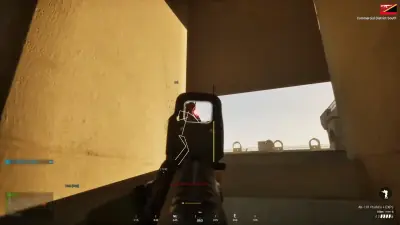
Player ESP provides additional visual information about player positions. It is one of the main features players look for when researching Squad hacks.
Its usefulness depends on how clearly player information is presented and which customization options are available.
Vehicle Tracking
Vehicle tracking provides additional awareness of vehicle positions across the battlefield.
Squad features a combined-arms environment with infantry, armored vehicles, transport units, and logistics vehicles. Vehicle-related information can therefore be an important part of a visual assistance feature set.
FOB Detection
Forward Operating Bases are important strategic locations in Squad. They support deployment, reinforcement, and battlefield construction.
FOB detection is particularly relevant to players interested in identifying important enemy infrastructure.
Aimbot
Aimbot is an aiming assistance feature designed to support target acquisition.
When evaluating an aimbot, check the actual product documentation for its targeting behavior, available controls, and customization options. Avoid assuming that every product offers the same targeting configuration.
Check Compatibility Before Buying
Compatibility is just as important as the feature list.
A Squad cheat may have specific requirements related to:
- Supported Windows versions.
- Windows security configuration.
- Hardware and firmware compatibility.
- Required additional software.
- Cloud DMA availability on supported builds.
The product covered in this guide lists Windows 10 and Windows 11, with HVCI, Core Isolation, TPM, and Secure Boot enabled. Cloud DMA is required for full functionality on supported builds, so check the relevant product information before purchasing.
Why Cloud DMA Matters
Cloud DMA is a separate part of the available product ecosystem.
Unlike traditional hardware-based DMA configurations that may involve an additional computer and physical DMA hardware, the supplied Cloud DMA product is described as a Hyper-V-based virtual environment operating on one Windows PC.
This distinction matters because the setup requirements and purchasing considerations are different.
Read the Cloud DMA overview to understand the product architecture before choosing a compatible setup.
Questions to Ask Before Purchasing Squad Cheats
Before purchasing any third-party Squad software, consider the following:
1. Are the features clearly documented? Make sure the product explains exactly what is included. 2. Is your Windows installation compatible? Check the supported operating systems and security requirements. 3. Is additional software required? Confirm whether Cloud DMA or another component is necessary. 4. How are updates handled? Check how compatibility information is communicated following game updates. 5. What support is available? Look for clear documentation and a support channel. 6. Are the risks understood? Third-party cheat software can result in enforcement action. No product should be assumed to be undetectable or risk-free.
Explore Squad Cheat Features
Choosing Squad cheat software should begin with understanding its actual capabilities rather than relying on broad marketing claims.
The available Squad product includes Player ESP, vehicle tracking, FOB detection, and precision aimbot. Its compatibility requirements and Cloud DMA dependency should be reviewed before purchasing.
Visit the Squad Cheats product page to review the available features and product information.