
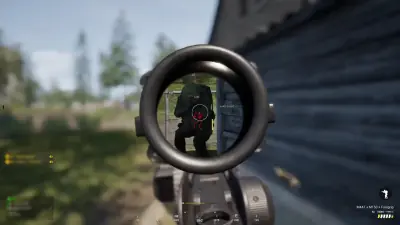
Cloud DMA for Squad: How the One-PC Setup Works
Understand Cloud DMA for Squad, including its single-PC Hyper-V architecture, how it differs from traditional DMA hardware, and why compatibility matters.
Cloud DMA is a term that players may encounter when researching certain Squad cheat products and their technical requirements.
However, not every product using the word DMA follows the same architecture.
Traditional DMA-based gaming configurations are often associated with additional hardware, dedicated connections, and sometimes a second computer. Cloud DMA, as described by the supplied product documentation, follows a different approach built around a single Windows PC.
This guide explains the basic concept, its relationship with Squad cheat compatibility, and what to check before purchasing.
What Is Cloud DMA?
Cloud DMA is a software-based infrastructure layer designed to support compatible products.
The supplied Cloud DMA product uses a Hyper-V-based virtual environment on the same Windows PC. Its installer provisions the virtual environment and completes activation through an encrypted service connection.
This architecture is different from traditional external DMA hardware configurations.
It is important to understand that Cloud DMA is an infrastructure component, not the same thing as purchasing a standalone Squad cheat.
The software product and the compatible game cheat serve different purposes within the overall setup.
Cloud DMA vs Traditional Hardware DMA
The term DMA is commonly associated with hardware-based configurations.
Traditional setups may involve components such as:
- A physical DMA card.
- A compatible PCIe connection.
- An additional computer.
- Dedicated firmware.
- Additional configuration and hardware compatibility checks.
The supplied Cloud DMA product describes a different arrangement.
It is built around one Windows PC and a Hyper-V-based virtual environment. Its product description specifically states that an additional computer, USB DMA bridge, or PCIe DMA card is not required.
This makes it important to distinguish between hardware DMA products and this particular Cloud DMA implementation.
Why Does Squad Require Cloud DMA?
The supplied Squad Cheats product documentation specifies that Cloud DMA is required for full functionality on supported builds.
This means buyers should check the relationship between the selected Squad product and the additional infrastructure before making a purchase.
Do not assume every Squad cheat build uses the same technical requirements.
Reviewing the compatibility information helps avoid buying components that do not match the intended configuration.
Is Cloud DMA a Separate Product?
Yes.
The Squad Cheats product and Cloud DMA are listed separately.
The Squad product provides the game-specific functionality, while Cloud DMA provides the infrastructure layer described in its own product documentation.
When reviewing both products, pay attention to:
1. Whether the selected Squad build requires Cloud DMA. 2. Whether the Windows installation meets the stated requirements. 3. Whether Hyper-V and the required virtual environment can be supported. 4. Whether the activation process is documented. 5. Whether the selected product is compatible with the current software build.
What Should You Check Before Buying?
Before purchasing Cloud DMA, review the following points.
Windows Compatibility
Confirm that your Windows installation meets the documented requirements.
Virtualization Support
The product uses Hyper-V, so virtualization support and the relevant Windows configuration matter.
Product Dependency
Check whether your selected Squad cheat build requires Cloud DMA for full functionality.
Support and Documentation
Make sure you understand the activation and compatibility information provided for the product.
For any uncertainty about your configuration, consult product support before making changes to Windows settings.
Cloud DMA for Squad: Is It the Right Setup?
The main distinction is architectural.
Traditional DMA configurations are associated with external hardware, while the supplied Cloud DMA product uses a Hyper-V-based virtual environment on one Windows PC.
That difference makes the product's own documentation especially important when evaluating compatibility.
Explore Cloud DMA
Players researching Squad cheat compatibility should review both components before choosing a setup.
Visit the Cloud DMA product page for its product details, or explore the Squad Cheats product page to review game-specific requirements.