
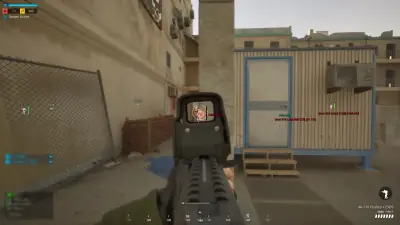
Squad Cheats System Requirements: Windows, HVCI, TPM and Secure Boot
Before purchasing Squad cheats, check the Windows version, security configuration, and Cloud DMA requirements. This guide explains the listed compatibility conditions.
Checking system requirements before installing third-party gaming software can prevent unnecessary compatibility problems.
Squad cheat software may depend on more than the game's ordinary PC requirements. Certain products specify additional Windows security features, supported operating system versions, and infrastructure components.
The Squad Cheats product discussed here lists Windows 10 and Windows 11 support, together with specific security requirements.
This guide explains what those requirements mean and what you should check before purchasing.
Supported Windows Versions
The supplied Squad Cheats product lists:
- Windows 10.
- Windows 11.
Your Windows installation should be checked before purchasing to make sure it falls within the documented compatibility range.
An outdated or heavily modified installation may behave differently from a standard supported configuration.
Keeping Windows updated also helps avoid unrelated compatibility problems.
HVCI: Memory Integrity
HVCI stands for Hypervisor-Protected Code Integrity.
It is a Windows security feature associated with Memory Integrity, which uses virtualization-based security to help protect the integrity of system code.
The Squad Cheats product documentation lists HVCI as required.
Because this is a system-level security feature, users should verify the supported configuration rather than making assumptions based on their Windows version alone.
Core Isolation
Core Isolation is a Windows Security feature that groups important virtualization-based security protections.
Memory Integrity is managed through this area of Windows Security.
The product requirements specifically list Core Isolation as enabled.
Check the Windows Security interface to confirm your current status.
Do not disable operating system security features simply to make an unfamiliar third-party program work.
TPM
TPM stands for Trusted Platform Module.
It is a hardware-based security component used by Windows for functions such as protected key storage and platform security operations.
The supplied product documentation lists TPM as required.
Before purchasing, verify that your PC supports TPM and that it is enabled.
The exact location of the setting depends on your motherboard and system manufacturer.
Secure Boot
Secure Boot is a UEFI firmware security feature designed to help protect the boot process.
The Squad cheat product requirements also list Secure Boot as enabled.
You should verify the current configuration before purchasing rather than making unverified firmware changes.
When BIOS or UEFI adjustments are necessary, consult your motherboard or PC manufacturer's documentation.
Cloud DMA Requirements
The supplied Squad product page states that Cloud DMA is required for full functionality on supported builds.
This is an additional compatibility consideration beyond the Windows security requirements.
The Cloud DMA product uses a Hyper-V-based virtual environment on one Windows PC.
It does not describe a traditional arrangement requiring a second computer or physical PCIe DMA card.
Review the Cloud DMA product information to understand this additional requirement.
Squad Cheats Compatibility Checklist
Before making a purchase, review this checklist:
- [ ] Your PC runs a supported Windows 10 or Windows 11 installation.
- [ ] HVCI is enabled.
- [ ] Core Isolation is enabled.
- [ ] TPM is enabled.
- [ ] Secure Boot is enabled.
- [ ] Your selected product build is compatible with your configuration.
- [ ] You have checked whether Cloud DMA is required.
- [ ] You have reviewed the available setup documentation.
This checklist describes the published requirements. It does not guarantee that every PC will be compatible.
What If Your PC Does Not Meet the Requirements?
Do not immediately change multiple firmware or security settings.
First, identify which requirement is not satisfied.
Check your Windows version, review the status of the relevant Windows security features, and consult your motherboard documentation for hardware-related settings.
If you are uncertain about compatibility, contact product support with your Windows version and relevant system information.
Avoid downloading unofficial utilities or following instructions that require disabling important security protections.
Check Squad Cheats Compatibility Before Purchasing
Compatibility should be confirmed before purchasing any third-party Squad software.
The supplied product lists Windows 10 and Windows 11, HVCI, Core Isolation, TPM, and Secure Boot as requirements, with Cloud DMA required for full functionality on supported builds.
Review the Squad Cheats product details and consult support for any configuration questions.